Slip & Fall Detector
Always on guard
for your safety
AI-based detection of a person’s fall in the area you choose — even a slip from a chair, a fall from bed, or an incomplete fall when someone loses consciousness and slides down a wall. Works on ordinary computers and almost any camera, in live mode, and even with a Xeoma Standard license.
What the Slip & Fall Detector is

The moment a fall is detected, the module triggers whatever you’ve placed after it in the chain: an alert to responsible staff, an SMS, a sound alarm, or a command to an outside system — for example, to call an ambulance automatically after a set delay.
Because the analytics run on the software side, no camera with built-in sensors or on-board AI is required.
Where it helps
From the family home to the hospital ward
The same module serves private and commercial needs alike — anywhere a fall going unnoticed could cost someone their health.
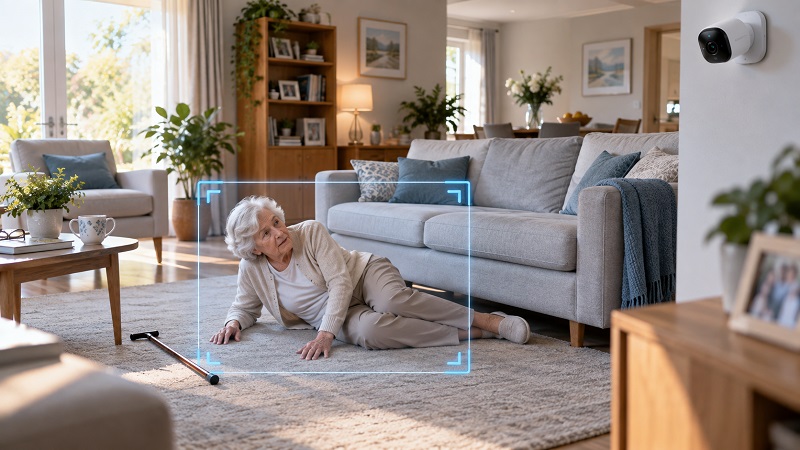
A safer home
Older people often live alone, with no one nearby to call for help if they suddenly feel unwell — and falls are one of the top health risks in later life. Installed at home or in a care residence, the detector spots a fall at once and alerts the responsible person. Tied into a smart-home system, it can even call an ambulance and notify relatives on its own.
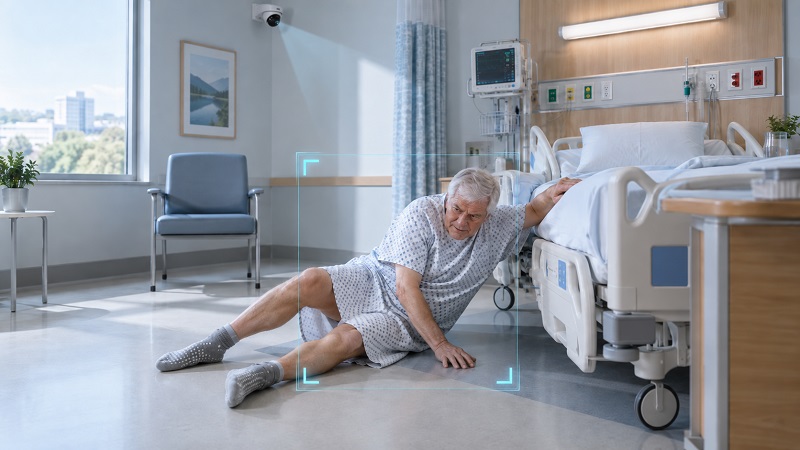
Hospitals & clinics
After serious surgery, many patients aren’t allowed out of bed, and a weakened body raises the odds of fainting and falling. If a fall from bed or a regular fall in the hall happens, the detector notifies the nurse or on-duty staff immediately, so care arrives fast and the consequences are kept to a minimum.
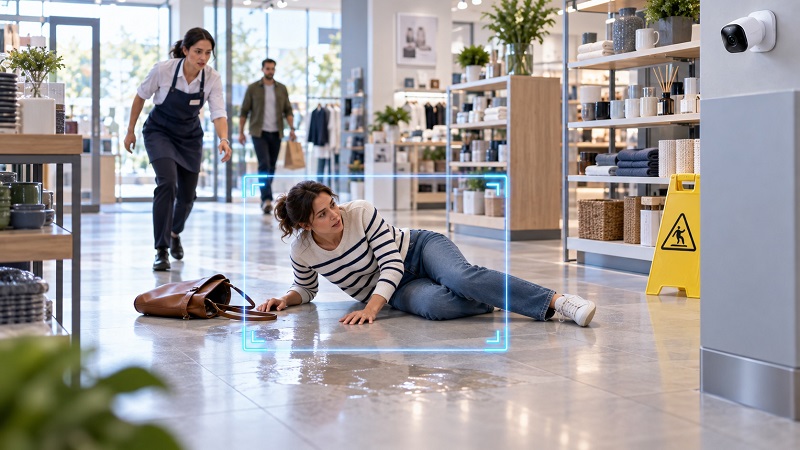
Business & public spaces
Any business, enterprise, or government body that cares about the welfare of its staff and visitors can use the detector to reduce risks to their health — catching an incident in a corridor, a shop floor, or a public building the moment it occurs.
Simple and accessible
One-click setup
A simple interface and fully automated operation. Open the module’s settings, select the types of falls you need monitored — and the system is ready.
Privacy and security
The module runs on your own hardware, with no data transfer and no internet access required. Saves bandwidth and eliminates delays.
All fall types, many reactions
Detects falls from a chair or bed, slipping down a wall, and regular ones. The detector can be paired with any reaction Xeoma offers.
Why Xeoma’s detection of slips and falls is better
No Cloud or special equipment
All computation happens on your hardware, with no data sent to cloud services.
An ordinary modern computer handles the load, and you can use almost any camera.
Live, without delay
The module works in real time, with no latency between the fall and the alert — so help can be on its way within seconds.
Round-the-clock operation means it’s watching exactly when a person happens to be alone.
Affordable
The Slip & Fall Detector is an Additional module, the license for which activates even in Xeoma Standard mode, as well as in Xeoma Pro mode.
One-time payment.
How it works
Set up in a few steps
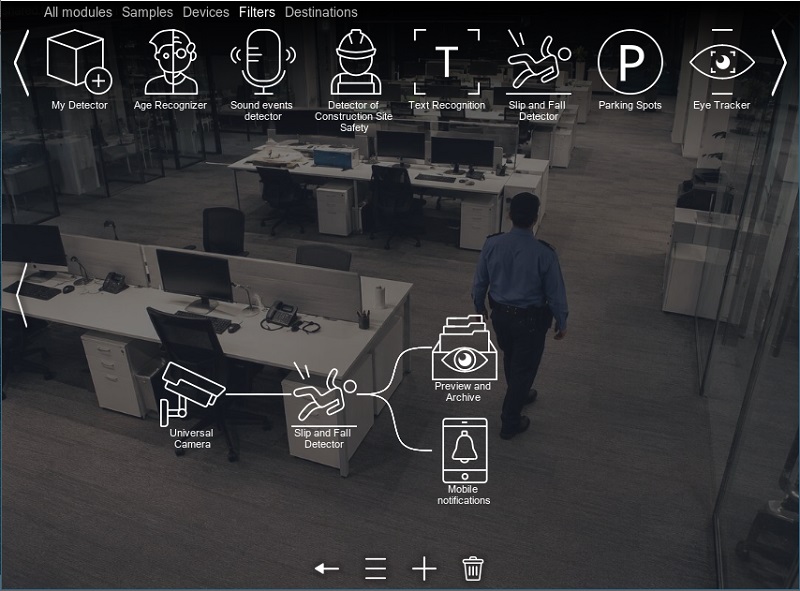
Download and run Xeoma in Trial mode, then connect the Slip & Fall Detector module in the chain — directly to the camera, or after your filter modules. Add the reactions you need — SMS, sound alarm, or an HTTP Request Sender to call for help after a set delay.
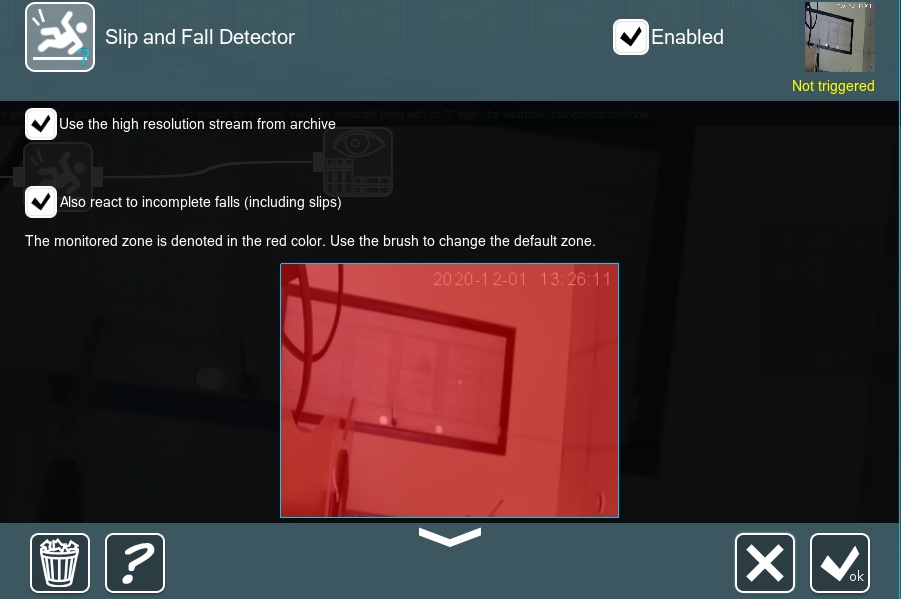
Open the module’s settings and choose a monitoring area. Required resources are downloaded automatically on first use.
Tick “Also react to incomplete falls” to catch cases where someone loses consciousness and slides down a wall, or slips and falls from a low height. Falls from a chair are detected too.
Requirements
Minimal hardware requirements
No special hardware is required — an ordinary, off-the-shelf computer and almost any brand or model of cameras will do.
 Processor restriction. The module is available and works only on certain 64-bit Intel processors: the Intel Core family starting from the 4th generation (including the 10th and newer); the Xeon family starting from the 6th generation; Atom processors of the “C23” – “C39”, “P59”, “Z34”, “Z35”, “x5-E39”, “x5-E8000” series; as well as Intel Xeon E5-24 series, i5-2450M and i7-2600.
Quick start
Test it in a couple of minutes
Download and launch Xeoma. The program starts in the Trial edition, where almost everything is available. For convenient testing, you can get a demo license.
Let Xeoma find cameras in the network automatically, or add a camera manually by IP address. Any camera types are supported.
Add the module to the camera chain after the “Universal camera” module.
Click on the module in the chain to open its settings. Wait while the module downloads the resources it needs for work, then select the settings tailored to your project.
Recording to the archive, a csv report, email, a sound alarm, your own reactions — choose the result you need from Xeoma’s arsenal.

Try Xeoma for free
Enter your email and name to get a free demo license. No credit card required.
Get free demo licenses to email
Full functionality. Sent instantly.
We urge you to refrain from using emails that contain personal data, and from sending us personal data in any other way. If you still do, by submitting this form, you confirm your consent to the processing of your personal data
Video
See it in action
A short walkthrough of the Slip & Fall Detector at work in Xeoma.
Ecosystem
Related Xeoma tools
Xeoma has more than 100 modules. These pair naturally with the Slip & Fall Detector when you’re analyzing a hospital, care home, or any monitored space.

Emotion Recognition
Analyzes the emotional background in the monitored area — a useful read on the mood of a room in care and clinical settings.

Crowd Detector
Triggers when a patient’s room or any monitored area becomes overcrowded with visitors, so you can step in before it’s a problem.

AI Observer
A universal detector: it finds almost anything in the frame based on your text description. One module instead of dozens of separate detectors.
A worked example of Xeoma protecting residents in a care home — where the Slip & Fall Detector is right at home.
And this is only part of it — explore all of Xeoma’s video analytics.

Doesn’t quite fit your case?
If the module doesn’t cover your specific need, we can build the functionality you’re after and add it into Xeoma as paid development. See details →
Try the Slip & Fall Detector for free
Download Xeoma, run it in Trial mode, and set the detector up on your own cameras in minutes. A free edition and a trial period — with no commitment.