
Text Recognition
Automatic reading of text and numbers in the camera’s sight
Now your cameras can read. Xeoma’s advanced video analytics recognizes text and numbers right in the frame, reacts to the words you need, and saves reports — automatically.
What it is
A camera that can read
 Text Recognition is a module of the Xeoma video surveillance software, based on optical character recognition (OCR) technology and artificial intelligence. The module scans a chosen area of the frame for text, recognizes it, and reacts to specific words or digits.
Recognition happens locally on the server running Xeoma, with no data sent to the cloud. The module can write the found text into a csv report, send an email, and trigger any reaction in the chain — from archive recording to sending an HTTP command. No special hardware is required: an ordinary computer and almost any cameras will do.
Use scenarios
Where text recognition comes in handy
From monitoring prices in a store to checking codes on containers — the module reads text where human involvement was previously required.

Price tags in stores and pharmacies
The module detects the product you need on price tags and helps monitor prices — automatically, without manual walk-arounds and re-typing.

License plates
Useful for recognizing license plates of countries that aren’t supported by built-in tools. It can also serve as an alternative to overly complex or expensive license plate recognition solutions.

Signs and billboards
Police can scan neighborhoods looking for graffiti ads for illegal-substance channels, while realtors can search the area for “For Sale” signs. The module spots the text you need in the camera stream in real time.
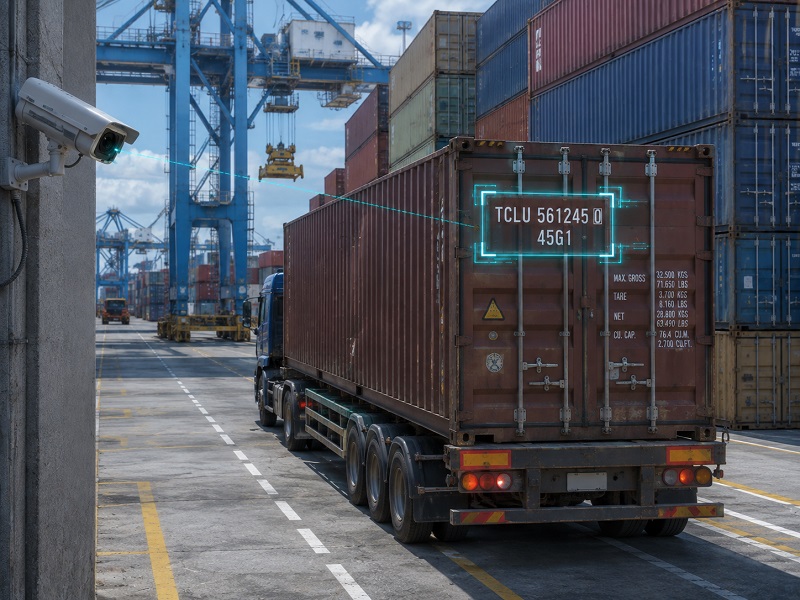
Containers in freight shipping
Thanks to optical character recognition technology, the module reads text on containers, including transport container codes — handy for logistics and record-keeping.
Recognizes orange plates with dangerous goods codes (ADR) on tanker trucks and lorries for automatic admission control at company premises.
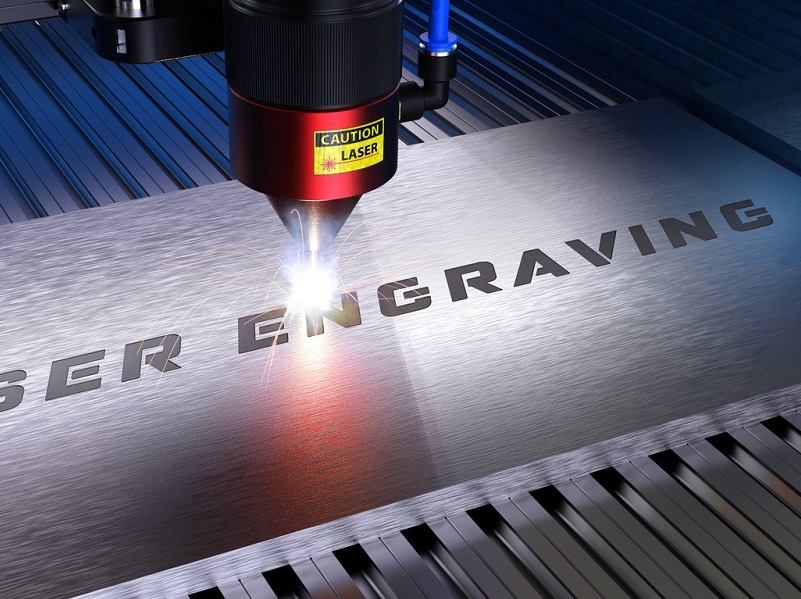
Checking text application in manufacturing
On the production line, the module checks that engraving and text application are correct: it reads the marking on parts as they move along the conveyor and helps catch defects with wrong or unreadable codes in time.
Advantages
Why Xeoma’s text recognition is better
Saves bandwidth
All computation happens on your hardware, with no data sent to cloud services.
Works in real time
Handles live camera feeds instantly, with no delay.
Cost-effective
A one-time payment per license. Both modes of operation — text and numbers — are already included in the price. Affordable prices.
How it works
Set up in a couple of steps
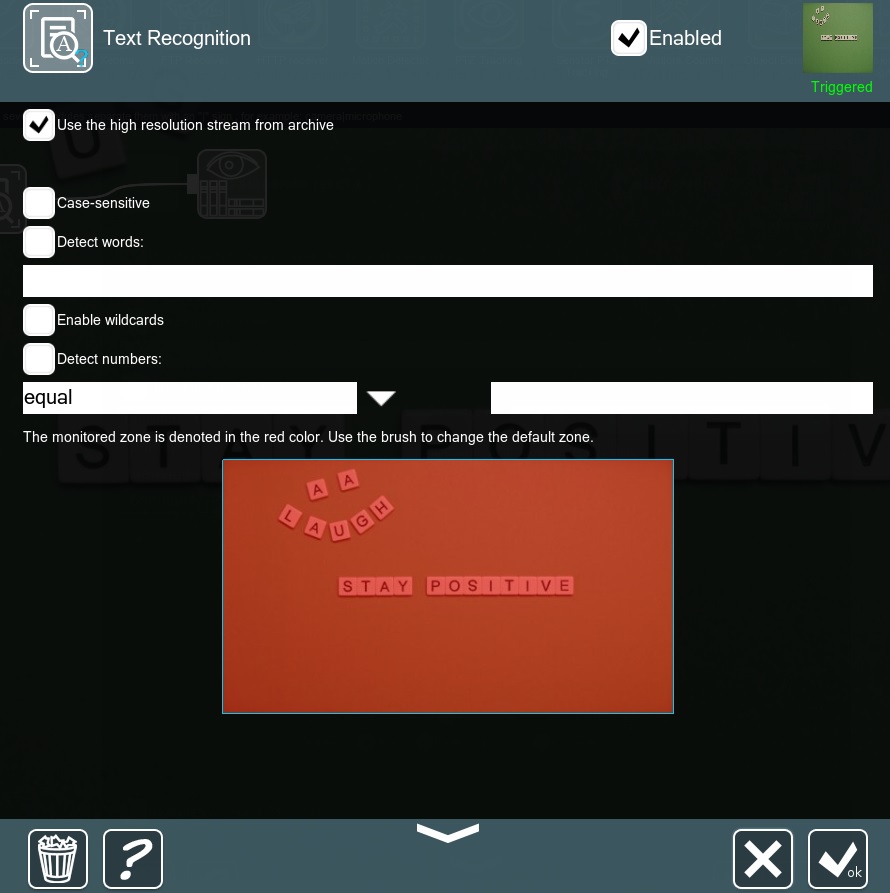
Connect the module to the chain after the “Universal camera” module and select the trigger type — “Detect words” or “Detect numbers”.
The optical character reader lets the module respond to a given word or words, as well as to a number that is equal to, greater or less than a given value. The results can be written into a csv report and sent by email.
Using the %TEXT% macro, the module passes the recognized text to the “HTTP request sender” module — the macro is replaced with the found text.
Requirements
Minimal hardware requirements
No special hardware is required — an ordinary, off-the-shelf computer and almost any brand or model of cameras will do.
 Processor restriction. The module is available and works only on certain 64-bit Intel processors: the Intel Core family starting from the 4th generation (including the 10th and newer); the Xeon family starting from the 6th generation; Atom processors of the “C23” – “C39”, “P59”, “Z34”, “Z35”, “x5-E39”, “x5-E8000” series; as well as Intel Xeon E5-24 series, i5-2450M and i7-2600.
Quick start
Test it in a couple of minutes
Download and launch Xeoma. The program starts in the Trial edition, where almost everything is available. For convenient testing, you can get a demo license.
Let Xeoma find cameras in the network automatically, or add a camera manually by IP address. Any camera types are supported.
Add the module to the camera chain after the “Universal camera” module.
Select the trigger type — “Detect words” or “Detect numbers” — and set the words or numeric conditions you need.
Recording to the archive, a csv report, email, a sound alarm, your own reactions — choose the result you need from Xeoma’s arsenal.

Video
See how it works
Ecosystem
Related Xeoma tools
Xeoma has over 100 modules, some of which are similar to “Text Recognition” or are often used together with it.

License Plate Recognition
A dedicated module for reading state registration plates. It determines the plates of cars approaching your premises, for entry and exit control.

Freight Unloading Counter
Logs the arrival and departure of trucks and recognizes plates and codes on containers. It automates logistics accounting where data used to be entered by hand.

HTTP request sender
Often works in tandem with “Text Recognition”: via the %TEXT% macro, it passes the found text to external systems — for integration with your software and hardware.

Face Recognition
Another identifier module, but it works with faces instead of text. It determines specific people: regular customers, VIP guests, or unwanted visitors.

QR Code Recognition
An intelligent detector that looks for QR or barcodes in the video stream. It can be used for access control or manufacturing quality control.

AI Observer
A universal detector: it finds almost anything in the frame based on your text description. One module instead of dozens of separate detectors.
And that’s just a part of it — see all of Xeoma’s video analytics.