
Advanced license plate recognition
Automatic number plate recognition (ANPR) automatically detects and reads vehicle number plates in the frame, reacting to known or unknown plates. Recognizes plates from 168 countries — no special equipment required.
What it is
A camera that reads license plates
 ANPR (Automatic Number Plate Recognition) is a module of the Xeoma video surveillance software that uses the latest technology, including artificial intelligence, to automatically recognize vehicles’ license plates. More than 168 countries are supported — including the European Union, the United Kingdom, North America, the GCC, the Middle East, the CIS countries and many more.
All recognition happens on Xeoma’s side — no specialized cameras with built-in recognition required. The module logs recognized plates to CSV reports, responds to allow and block lists, searches your archive by plate number, and relays events to external systems such as gates, barriers, and alarms. Depending on the country, recognition is powered by either Xeoma’s own algorithms or trusted third-party tools.
Coverage
Countries supported
168 countries are supported across several recognition tools. Don’t see your country? Many more are covered by third-party tools — check the country selector below, or contact us.


The strip scrolls on its own — hover to pause, or drag it to browse.
Capabilities
What Xeoma’s ANPR can do
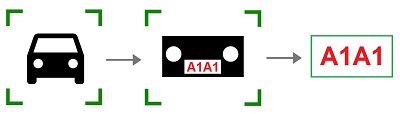
- detects vehicles in the camera’s field of view;
- detects the vehicles’ license plates;
- recognizes the digits in the vehicles’ license plates (with Xeoma recognition or third-party tools).
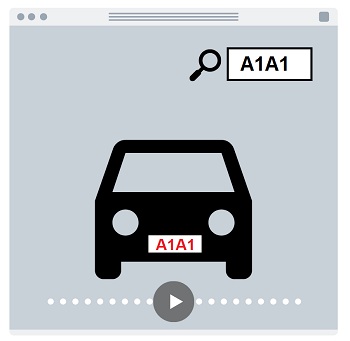
- writes recognized license plate numbers, plus the date and time of recognition, into a CSV report;
- allows search through video records for specified license plate numbers.
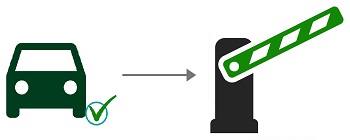
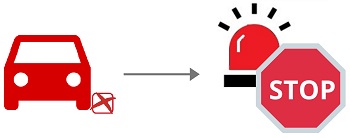
- allows adding of license plates to “white” or “black” lists to ignore or react to;
- allows adding text comments to each identified car;
- allows use of an external database of license plates — for example, a city police database to search for missing cars;
- allows sending triggers to external integrated systems (open the gate barrier, turn on the light, etc.);
- and much more!
Additionally, in combination with other modules, ANPR can:
- automate parking management: track which spaces are occupied or free and control access to your parking lot (via the “Parking Spots” module);
- integrate with fining systems: send an archive with a photo of the vehicle and an XML file with the detected license plate and the time of detection (via the “ANPR Sending to FTP” module);
- measure a vehicle’s average speed and respond to speed-limit violations (via the “ANPR Speed Receiver” and “ANPR Speed Sender” modules);
- catch red-light runners by identifying vehicles that violate traffic-light rules (via the “Modbus Controllers” module);
- detect speeding with a hardware speed meter (via the “Vehicle Speed Detector” module)
Use scenarios
Where license plate recognition helps
The same module serves cities, businesses, private homes and open areas alike — anywhere a passing vehicle should be recognized, logged or reacted to.
Municipal & police
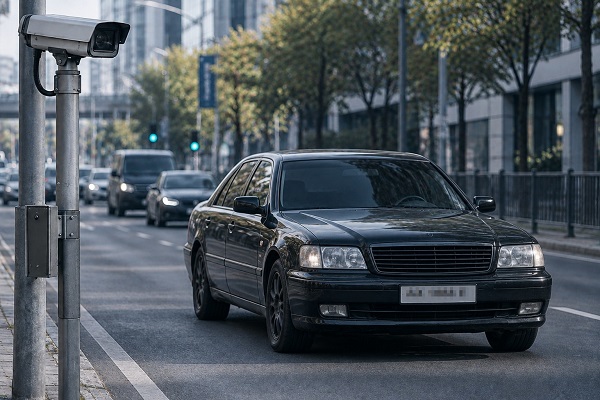
Automated scanning of city cameras for missing vehicles — stolen cars, or ones known to belong to criminals — with instant alerts to the officers on duty.
The same recognition works on the move — on patrol cars, in-vehicle (van) surveillance, and body-worn cameras — so officers can identify vehicles of interest anywhere, not just at fixed points.
City surveillance
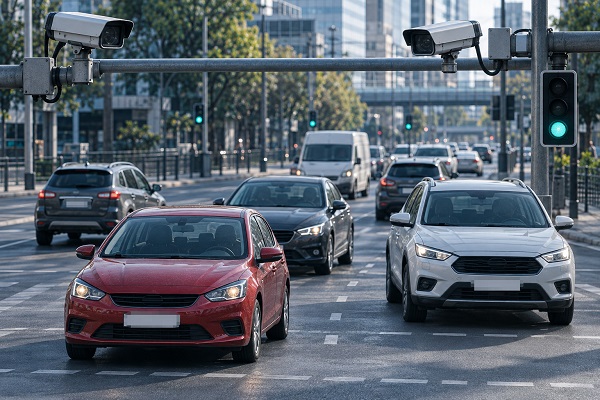
Automated monitoring of the road-traffic situation, detection of speed-limit or traffic-light violations, and autonomous work with fee-charging systems.
Business & corporate
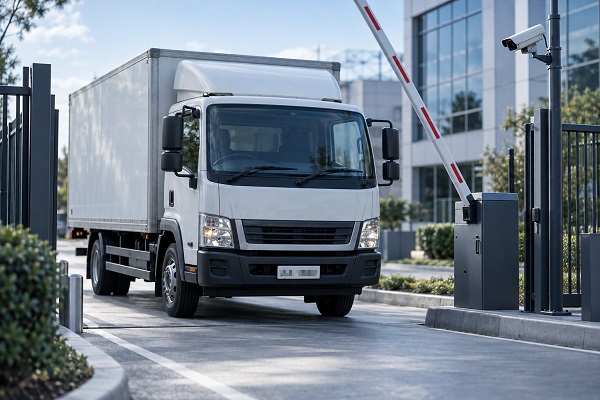
A license plate becomes the pass: fully automated entry to the enterprise grounds for whitelisted vehicles — no guards, no manual checks, saving both time and money. And an automated alarm — or any other reaction — the moment a blacklisted vehicle appears, for example one belonging to a fired employee or a returning shoplifter.
Personal residences
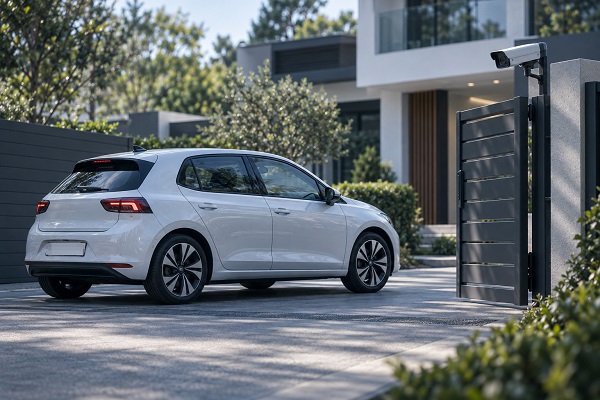
Automated entry for whitelisted vehicles to a private residence, and an automated alarm on blacklisted ones — for example, a car named in a restraining order after a separation.
It also handles everyday nuisances — like a neighbor repeatedly parking in your driveway — alerting you and collecting video evidence at once.

Farming
Automated alarms (or other reactions) when any vehicle appears near remote ranging zones — even in far-off areas with low Internet bandwidth. And many more.
How it works
Six recognition tools to choose from
Xeoma’s license plate recognition can work with five different tool types, each offering a unique combination of price, supported countries, recognition success rate and ease of use. Click a type to see the details.
TYPE 1 Xeoma’s internal tools: BasicIncluded in Xeoma Pro edition
One of the Xeoma’s internal tools for license plate recognition, the cheapest and fastest-to-start option, but with a limited set of countries.
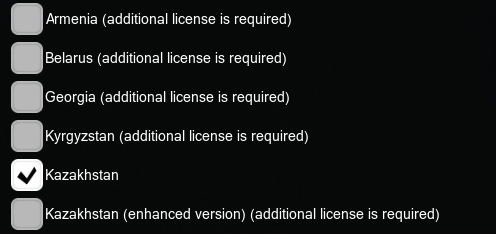
Countries recognized: Armenia, Belarus, Georgia, Kyrgyzstan, Kazakhstan, Russia, Uzbekistan, China*, Japan*, Jordan*, USA*, Canada*, Iraq*.
Advantages
- one of the cheapest options — already included in the PRO license;
- easiest option — no additional licenses or tools needed;
- works on Windows, Linux, Mac OS X, Linux (ARM) and Android families for countries not marked with an asterisk, works on Windows and Linux for countries marked with an asterisk.
Disadvantages
- Limited set of countries;
- *recognition of Chinese license plates requires a specific processor (see below);
- not optimized for recognition of license plates of special forces.
See more in the ANPR module Setup Guide.
TYPE 2 Xeoma’s internal tools: improved (enhanced pack)Xeoma Standard / Xeoma Pro edition + Additional license “ANPR”
When the license plate recognition made by Xeoma’s own mechanisms embedded into the ANPR module is not enough, you can purchase a license for this Additional feature and use the improved recognition quality for vehicle plates from the CIS countries, USA, Canada, and China*.

Countries recognized: USA, European countries, Armenia, Belarus, Georgia, Kazakhstan, China*, Kyrgyzstan, Moldova, Russia, Ukraine.
Advantages
- our own development — we can improve it according to your needs;
- good recognition success rate;
- all supported countries are included in the license;
- can be used over the cheaper Xeoma Standard edition;
- works on Windows, Linux, Mac OS X, Linux (ARM) and Android families (except for China).
Disadvantages
- requires an Additional license;
- *(only for China): recognition of Chinese license plates requires a specific processor (see below).
TYPE 3 Xeoma’s internal tools: VisionXeoma Standard / Xeoma Pro edition + Additional license “ANPR (Vision)”
Xeoma’s flagship development. It recognizes license plates with 99% accuracy at vehicle speed of up to 270 km/h (167 mi/h).
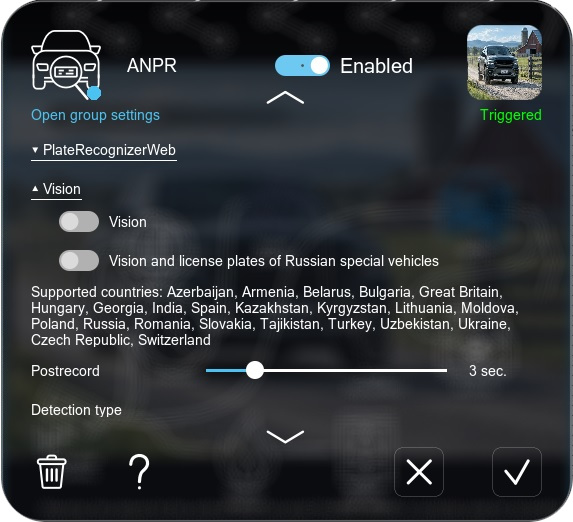
Countries recognized: Azerbaijan, Armenia, Belarus, Bulgaria, Czech Republic, Georgia, Great Britain, Hungary, India, Spain, Kazakhstan, Kyrgyzstan, Lithuania, Moldova, Poland, Russia, Romania, Slovakia, Switzerland, Tajikistan, Turkey, Uzbekistan, Ukraine.
Advantages
- our own development — we can improve it according to your needs;
- 99% recognition accuracy;
- all supported countries are included in the license;
- can be used over the cheaper Xeoma Standard edition;
- works on Windows and Linux.
Disadvantages
- requires an Additional license.
TYPE 4 Third-party: openALPR (free)Xeoma Pro edition + openALPR free version
This method requires you to add the “ANPR” module and use the openALPR third-party tool instead of Xeoma’s embedded algorithms. The openALPR tool has a free yet old version (licensed under AGPL) that opens up the opportunity to recognize license plates of several countries. Work with the tool is automated and requires just a 1-click action.

Countries recognized: Australia, Europe and UK, USA, Singapore, South Korea.
Advantages
- no openALPR license required — you just need a Xeoma Pro license;
- automated work with Xeoma, done completely from Xeoma’s interface.
Disadvantages
- limited number of supported countries — for more or better recognition you’ll need a paid version (see below);
- might not be available for the needed operating system; check with the tool vendor;
- openALPR is a third-party tool. We do not own or develop it, nor can we influence its development or quality.
See more in the openALPR Setup Guide.
TYPE 5 Third-party: openALPR (paid)Xeoma Pro edition + openALPR paid version license/subscription
If the free version of the openALPR tool doesn’t work effectively enough for you, or if it lacks recognition support for your country, you can use a more expensive paid version of the openALPR tool. This method is much like TYPE 4 (the free openALPR version) but with enhanced recognition quality and more supported countries.
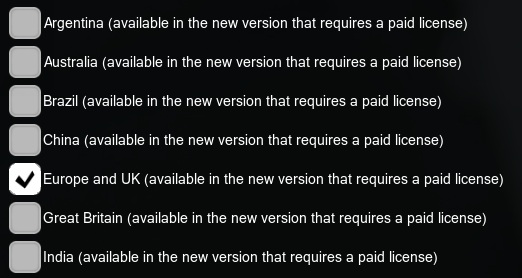
Countries recognized: Argentina, Australia, Brazil, China, Europe and UK, Great Britain, GCC, India, Indonesia, Japan, Malaysia, Middle East, New Zealand, North America — USA, Canada, Mexico, Russia, Saudi Arabia, Singapore, South Africa, South Korea, Thailand, UAE.
Advantages
- a wide array of countries supported;
- a free (yet outdated) version is available for Australia, Europe and UK, Singapore, South Korea and USA;
- free test licenses for the paid version are available from the manufacturer’s site.
Disadvantages
- openALPR is a third-party tool. We do not own or develop it, nor can we influence its development or quality;
- licenses for the paid version can be quite expensive;
- might not be available for the needed operating system; check with the tool vendor;
- the new version is paid and requires manual actions before you start using it.
See more in the openALPR Setup Guide.
TYPE 6 Third-party: Platerecognizer (paid)Xeoma Pro edition + Platerecognizer paid version license/subscription
If other options lack recognition support for your country, or you are not satisfied with their accuracy or quality, you can use another tool called Platerecognizer. This method is much like TYPE 5 (the paid openALPR version) but differs in its recognition methods and supported countries.
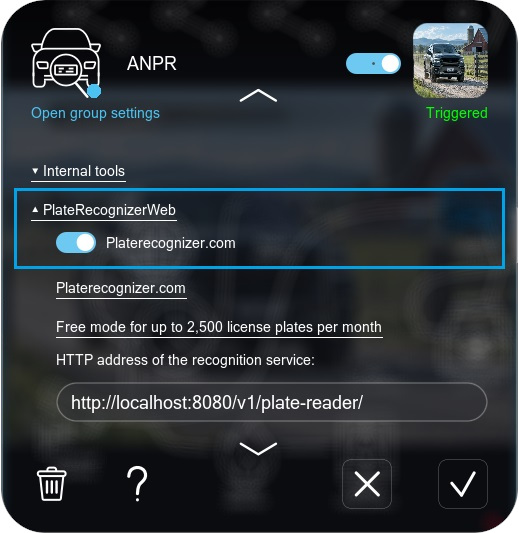
Countries recognized: 90+ countries across 6 continents, including the Americas, Europe, Africa, Asia and Australia. See website.
Advantages
- the widest list of supported countries;
- high accuracy claimed by the producer.
Disadvantages
- setup is harder than in other options;
- higher prices than in other options;
- might not be available for the needed operating system; check with the tool vendor;
- this is a third-party tool, so we cannot influence its development or accuracy.
See more in the Platerecognizer Setup Guide.

If your country is not on the list, you are dissatisfied with the accuracy of the options, or simply prefer other LPR tools, other third-party tools can be added at request. Contact us to get more information.
Find your option
Select your country to see available options
Pick a country to see which of the six recognition tools support it.
Argentina
For recognition of Argentina license plates, you can use the following recognition methods:
- Type 5 — third-party: openALPR (paid). See details
- Type 6 — third-party: Platerecognizer (paid). See details
Armenia
For recognition of Armenia license plates, you can use the following recognition methods:
- Type 1 — Xeoma’s internal tools: Basic. See details
- Type 2 — Xeoma’s internal tools: improved (enhanced pack). See details
- Type 3 — Xeoma’s internal tools: Vision. See details
- Type 6 — third-party: Platerecognizer (paid). See details
Australia
For recognition of Australia license plates, you can use the following recognition methods:
- Type 4 — third-party: openALPR (free). See details
- Type 5 — third-party: openALPR (paid). See details
- Type 6 — third-party: Platerecognizer (paid). See details
Austria
For recognition of Austria license plates, you can use the following recognition methods:
- Type 2 — Xeoma’s internal tools: improved (enhanced pack). See details
- Type 4 — third-party: openALPR (free). See details
- Type 5 — third-party: openALPR (paid). See details
- Type 6 — third-party: Platerecognizer (paid). See details
Azerbaijan
For recognition of Azerbaijan license plates, you can use the following recognition methods:
- Type 3 — Xeoma’s internal tools: Vision. See details
Belarus
For recognition of Belarus license plates, you can use the following recognition methods:
- Type 1 — Xeoma’s internal tools: Basic. See details
- Type 2 — Xeoma’s internal tools: improved (enhanced pack). See details
- Type 3 — Xeoma’s internal tools: Vision. See details
- Type 6 — third-party: Platerecognizer (paid). See details
Brazil
For recognition of Brazil license plates, you can use the following recognition methods:
- Type 5 — third-party: openALPR (paid). See details
- Type 6 — third-party: Platerecognizer (paid). See details
Bulgaria
For recognition of Bulgaria license plates, you can use the following recognition methods:
- Type 2 — Xeoma’s internal tools: improved (enhanced pack). See details
- Type 3 — Xeoma’s internal tools: Vision. See details
Canada
For recognition of Canada license plates, you can use the following recognition methods:
- Type 1 — Xeoma’s internal tools: Basic. See details
- Type 6 — third-party: Platerecognizer (paid). See details
China
For recognition of China license plates, you can use the following recognition methods:
- Type 1 — Xeoma’s internal tools: Basic. See details
- Type 2 — Xeoma’s internal tools: improved (enhanced pack). See details
- Type 5 — third-party: openALPR (paid). See details
Colombia
For recognition of Colombia license plates, you can use the following recognition methods:
- Type 6 — third-party: Platerecognizer (paid). See details
Czech Republic
For recognition of Czech Republic license plates, you can use the following recognition methods:
- Type 2 — Xeoma’s internal tools: improved (enhanced pack). See details
- Type 3 — Xeoma’s internal tools: Vision. See details
EU and UK
For recognition of EU & UK license plates, you can use the following recognition methods:
- Type 2 — Xeoma’s internal tools: improved (enhanced pack). See details
- Type 3 — Xeoma’s internal tools: Vision. See details
- Type 4 — third-party: openALPR (free). See details
- Type 5 — third-party: openALPR (paid). See details
- Type 6 — third-party: Platerecognizer (paid). See details
France
For recognition of France license plates, you can use the following recognition methods:
- Type 2 — Xeoma’s internal tools: improved (enhanced pack). See details
- Type 4 — third-party: openALPR (free). See details
- Type 5 — third-party: openALPR (paid). See details
- Type 6 — third-party: Platerecognizer (paid). See details
GCC
For recognition of GCC license plates, you can use the following recognition methods:
- Type 5 — third-party: openALPR (paid). See details
- For Kuwait, Oman, Qatar, UAE — Type 6: third-party: Platerecognizer (paid). See details
Georgia
For recognition of Georgia license plates, you can use the following recognition methods:
- Type 1 — Xeoma’s internal tools: Basic. See details
- Type 2 — Xeoma’s internal tools: improved (enhanced pack). See details
- Type 3 — Xeoma’s internal tools: Vision. See details
- Type 6 — third-party: Platerecognizer (paid). See details
Germany
For recognition of Germany license plates, you can use the following recognition methods:
- Type 2 — Xeoma’s internal tools: improved (enhanced pack). See details
- Type 4 — third-party: openALPR (free). See details
- Type 5 — third-party: openALPR (paid). See details
- Type 6 — third-party: Platerecognizer (paid). See details
Hungary
For recognition of Hungary license plates, you can use the following recognition methods:
- Type 2 — Xeoma’s internal tools: improved (enhanced pack). See details
- Type 3 — Xeoma’s internal tools: Vision. See details
India
For recognition of India license plates, you can use the following recognition methods:
- Type 3 — Xeoma’s internal tools: Vision. See details
- Type 5 — third-party: openALPR (paid). See details
- Type 6 — third-party: Platerecognizer (paid). See details
Indonesia
For recognition of Indonesia license plates, you can use the following recognition methods:
- Type 5 — third-party: openALPR (paid). See details
- Type 6 — third-party: Platerecognizer (paid). See details
Iraq
For recognition of Iraq license plates, you can use the following recognition methods:
- Type 1 — Xeoma’s internal tools: Basic. See details
- Type 5 — third-party: openALPR (paid). See details
Italy
For recognition of Italy license plates, you can use the following recognition methods:
- Type 2 — Xeoma’s internal tools: improved (enhanced pack). See details
- Type 4 — third-party: openALPR (free). See details
- Type 5 — third-party: openALPR (paid). See details
- Type 6 — third-party: Platerecognizer (paid). See details
Japan
For recognition of Japan license plates, you can use the following recognition methods:
- Type 1 — Xeoma’s internal tools: Basic. See details
- Type 5 — third-party: openALPR (paid). See details
Jordan
For recognition of Jordan license plates, you can use the following recognition methods:
- Type 1 — Xeoma’s internal tools: Basic. See details
Kazakhstan
For recognition of Kazakhstan license plates, you can use the following recognition methods:
- Type 1 — Xeoma’s internal tools: Basic. See details
- Type 2 — Xeoma’s internal tools: improved (enhanced pack). See details
- Type 3 — Xeoma’s internal tools: Vision. See details
- Type 6 — third-party: Platerecognizer (paid). See details
Kyrgyzstan
For recognition of Kyrgyzstan license plates, you can use the following recognition methods:
- Type 1 — Xeoma’s internal tools: Basic. See details
- Type 2 — Xeoma’s internal tools: improved (enhanced pack). See details
- Type 3 — Xeoma’s internal tools: Vision. See details
Lithuania
For recognition of Lithuania license plates, you can use the following recognition methods:
- Type 2 — Xeoma’s internal tools: improved (enhanced pack). See details
- Type 3 — Xeoma’s internal tools: Vision. See details
Malaysia
For recognition of Malaysia license plates, you can use the following recognition methods:
- Type 5 — third-party: openALPR (paid). See details
- Type 6 — third-party: Platerecognizer (paid). See details
Mexico
For recognition of Mexico license plates, you can use the following recognition methods:
- Type 5 — third-party: openALPR (paid). See details
- Type 6 — third-party: Platerecognizer (paid). See details
Middle East
For recognition of Middle East license plates, you can use the following recognition methods:
- Type 5 — third-party: openALPR (paid). See details
- Type 6 — third-party: Platerecognizer (paid). See details
Moldova
For recognition of Moldova license plates, you can use the following recognition methods:
- Type 2 — Xeoma’s internal tools: improved (enhanced pack). See details
- Type 3 — Xeoma’s internal tools: Vision. See details
Netherlands
For recognition of Netherlands license plates, you can use the following recognition methods:
- Type 2 — Xeoma’s internal tools: improved (enhanced pack). See details
- Type 4 — third-party: openALPR (free). See details
- Type 5 — third-party: openALPR (paid). See details
- Type 6 — third-party: Platerecognizer (paid). See details
New Zealand
For recognition of New Zealand license plates, you can use the following recognition methods:
- Type 5 — third-party: openALPR (paid). See details
Poland
For recognition of Poland license plates, you can use the following recognition methods:
- Type 2 — Xeoma’s internal tools: improved (enhanced pack). See details
- Type 3 — Xeoma’s internal tools: Vision. See details
Romania
For recognition of Romania license plates, you can use the following recognition methods:
- Type 2 — Xeoma’s internal tools: improved (enhanced pack). See details
- Type 3 — Xeoma’s internal tools: Vision. See details
Russia
For recognition of Russia license plates, you can use the following recognition methods:
- Type 1 — Xeoma’s internal tools: Basic. See details
- Type 2 — Xeoma’s internal tools: improved (enhanced pack). See details
- Type 3 — Xeoma’s internal tools: Vision. See details
- Type 6 — third-party: Platerecognizer (paid). See details
Saudi Arabia
For recognition of Saudi Arabia license plates, you can use the following recognition methods:
- Type 5 — third-party: openALPR (paid). See details
- Type 6 — third-party: Platerecognizer (paid). See details
Singapore
For recognition of Singapore license plates, you can use the following recognition methods:
- Type 4 — third-party: openALPR (free). See details
- Type 5 — third-party: openALPR (paid). See details
- Type 6 — third-party: Platerecognizer (paid). See details
Slovakia
For recognition of Slovakia license plates, you can use the following recognition methods:
- Type 2 — Xeoma’s internal tools: improved (enhanced pack). See details
- Type 3 — Xeoma’s internal tools: Vision. See details
South Africa
For recognition of South Africa license plates, you can use the following recognition methods:
- Type 5 — third-party: openALPR (paid). See details
- Type 6 — third-party: Platerecognizer (paid). See details
South Korea
For recognition of South Korea license plates, you can use the following recognition methods:
- Type 4 — third-party: openALPR (free). See details
- Type 5 — third-party: openALPR (paid). See details
- Type 6 — third-party: Platerecognizer (paid). See details
Spain
For recognition of Spain license plates, you can use the following recognition methods:
- Type 2 — Xeoma’s internal tools: improved (enhanced pack). See details
- Type 3 — Xeoma’s internal tools: Vision. See details
- Type 4 — third-party: openALPR (free). See details
- Type 5 — third-party: openALPR (paid). See details
- Type 6 — third-party: Platerecognizer (paid). See details
Sweden
For recognition of Sweden license plates, you can use the following recognition methods:
- Type 2 — Xeoma’s internal tools: improved (enhanced pack). See details
- Type 4 — third-party: openALPR (free). See details
- Type 5 — third-party: openALPR (paid). See details
- Type 6 — third-party: Platerecognizer (paid). See details
Switzerland
For recognition of Switzerland license plates, you can use the following recognition methods:
- Type 2 — Xeoma’s internal tools: improved (enhanced pack). See details
- Type 3 — Xeoma’s internal tools: Vision. See details
Tajikistan
For recognition of Tajikistan license plates, you can use the following recognition methods:
- Type 3 — Xeoma’s internal tools: Vision. See details
Thailand
For recognition of Thailand license plates, you can use the following recognition methods:
- Type 5 — third-party: openALPR (paid). See details
- Type 6 — third-party: Platerecognizer (paid). See details
Turkey
For recognition of Turkey license plates, you can use the following recognition methods:
- Type 3 — Xeoma’s internal tools: Vision. See details
UAE
For recognition of UAE license plates, you can use the following recognition methods:
- Type 5 — third-party: openALPR (paid). See details
- Type 6 — third-party: Platerecognizer (paid). See details
Ukraine
For recognition of Ukraine license plates, you can use the following recognition methods:
- Type 2 — Xeoma’s internal tools: improved (enhanced pack). See details
- Type 3 — Xeoma’s internal tools: Vision. See details
USA
For recognition of USA license plates, you can use the following recognition methods:
- Type 1 — Xeoma’s internal tools: Basic. See details
- Type 2 — Xeoma’s internal tools: improved (enhanced pack). See details
- Type 4 — third-party: openALPR (free). See details
- Type 5 — third-party: openALPR (paid). See details
- Type 6 — third-party: Platerecognizer (paid). See details
Uzbekistan
For recognition of Uzbekistan license plates, you can use the following recognition methods:
- Type 1 — Xeoma’s internal tools: Basic. See details
- Type 3 — Xeoma’s internal tools: Vision. See details
If your country isn’t listed, contact us and we’ll advise you on the available options.
Advantages
Xeoma’s ANPR advantages

Works with all vehicles in view
Recognizes every plate in the camera’s view at once, with no limit on plates per frame or on the total number of recognitions — ever.

Day / night, all-weather
The same module works in different conditions, including various weather, in day or night-time.
Works with all vehicle types
Recognizes license plates of all vehicle types, from passenger cars to buses and ambulances.

Any speed
Works with any vehicle speed and can be used on high-speed highways, etc.

Flexibility and versatility
Various reactions, including custom ones, and integration with third-party systems.

Affordable price
Different options for almost any budget — one of them even works with a basic Xeoma Standard edition.
Requirements
No special equipment required
No need for a dedicated server or purpose-built cameras — an ordinary computer and your existing cameras are all it takes.
No powerful server
No need for special equipment or a standalone server – like in one of our projects where ANPR runs within a Safe City system on a compact *Tinker Board* micro-computer. On average, recognition adds only about 40% to the load of a regular camera in the program.
No special cameras
Recognition runs on Xeoma’s side, so a good video stream is enough. Just point the camera at an angle that lets it clearly see the plates. More on camera position.
Runs almost anywhere
Runs on Windows, Linux, Linux (ARM), macOS, and Android, including micro-computers like the Raspberry Pi. Supported third-party tools (if your country needs one) may run on fewer operating systems — check with the tool’s vendor.
Video
Watch the License Plate Recognizer video
Quick start
Test it in a couple of minutes
Download and launch Xeoma. The program starts in the Trial edition, where almost everything is available. For convenient testing, you can get a demo license.
Let Xeoma find cameras in the network automatically, or add a camera manually by IP address. Any camera type is supported.
Add the ANPR module to the camera chain, after the “Universal camera” module.
Click the module in the chain to open its settings. Select the recognition tool, the countries whose plates to recognize, the interval, and other options. See the detailed setup guide.
Recording to the archive, an email, a sound alarm, an HTTP command to a gate or barrier — choose the result you need from Xeoma’s arsenal.
Try Xeoma for free
Enter your email and name to get a free demo license. No credit card required.
Get free demo licenses to email
Full functionality. Sent instantly.
We urge you to refrain from using emails that contain personal data, and from sending us personal data in any other way. If you still do, by submitting this form, you confirm your consent to the processing of your personal data
*To request a demo license for other ANPR tools, please contact their manufacturers.
Doesn’t quite fit your case?
If the module doesn’t cover your specific need — a rarer country, a custom reaction, an integration — we can build the functionality you’re after and add it into Xeoma as paid development. See details →
Ecosystem
Related Xeoma tools
Xeoma has over 100 modules. These are often used together with ANPR or extend what it can do.

Vehicle Speed Detector
Determines a vehicle’s speed and, together with ANPR, catches speed-limit violators — with the help of a hardware speed meter.

Text Recognition
Reads any text and numbers in the frame — handy for plates of countries not covered by ANPR, container codes, and more.

Freight Unloading Counter
Logs the arrival and departure of trucks and counts unloadings — automating logistics record-keeping.
Additional ANPR (enhanced)
Xeoma’s own enhanced recognition for CIS countries, USA, Canada, China and more — works even on the cheaper Standard edition.
ANPR Setup Guide
Step-by-step guide to setting up license plate recognition in Xeoma, including recommended camera positioning.
openALPR Setup Guide
How to connect the openALPR third-party tool (free or paid) to Xeoma’s ANPR module for wider country coverage.
And that’s just a part of it — see all of Xeoma’s Additional modules.
Ready to try license plate recognition?
Download Xeoma and run it in Trial mode, or test it with a free demo license — no personal data, credit card or commitment. The detector is ready to go in just a few minutes.
March 5, 2020. Updated November 16, 2020.