
Queue Monitoring and Service Zone Load Detection
Is your business struggling to serve customers on time? Then you are losing revenue. With automatic queue monitoring and service zone load detection powered by the Crowd Detector module, you can learn about queues before they become a problem.
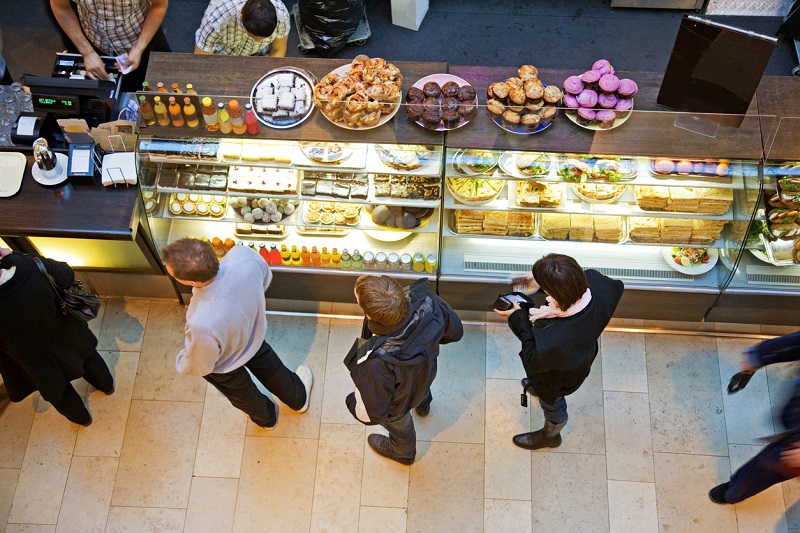
Queues — a problem you don’t notice?
Imagine this: patients are complaining about long queues at a clinic. The health ministry responds to the complaints and issues a directive to the management of the offending facility to fix the situation. Management, in turn, reports back: measures have been taken, no more violations. Of course, the minister simply cannot visit every such clinic in person to verify — they have to trust that the situation is under control. But what if no real action was actually taken? In the best case, complaints continue and an investigation can be launched. In the worst case, no new information reaches the ministry at all — everything looks fine on paper while the reality remains unchanged.
In retail, such situations result in direct financial losses. A customer approaches the checkout, sees five people ahead of them, silently (or not so silently) abandons their cart — which may well contain perishable goods — and leaves. The business takes a hit. The store owner wonders why revenue isn’t growing. Significant resources may be spent investigating, only to arrive at such a simple root cause. This problem is equally common in cafes, canteens, post offices — anywhere with a checkout counter.
The solution? Stop learning about problems after the fact and start receiving information while it can still make a difference. This is exactly what Xeoma video surveillance software provides — specialized tools for automatic queue monitoring and service zone load detection.


Xeoma’s Crowd Detector for queue monitoring
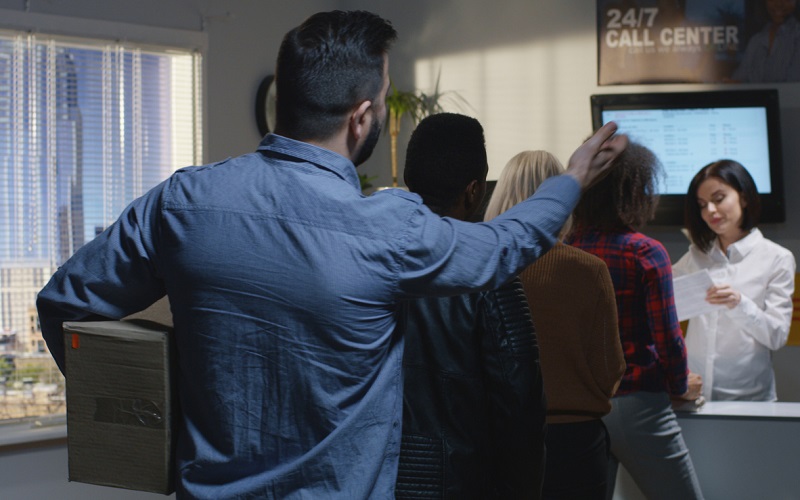
The primary tool for queue monitoring and service zone load detection is the Crowd Detector module, often referred to as the queue detector. Originally developed for counting passenger flows in public transport, this module is exceptionally well suited for queue monitoring — it tracks the number of people in a defined zone and triggers a response when the count exceeds the allowed threshold.
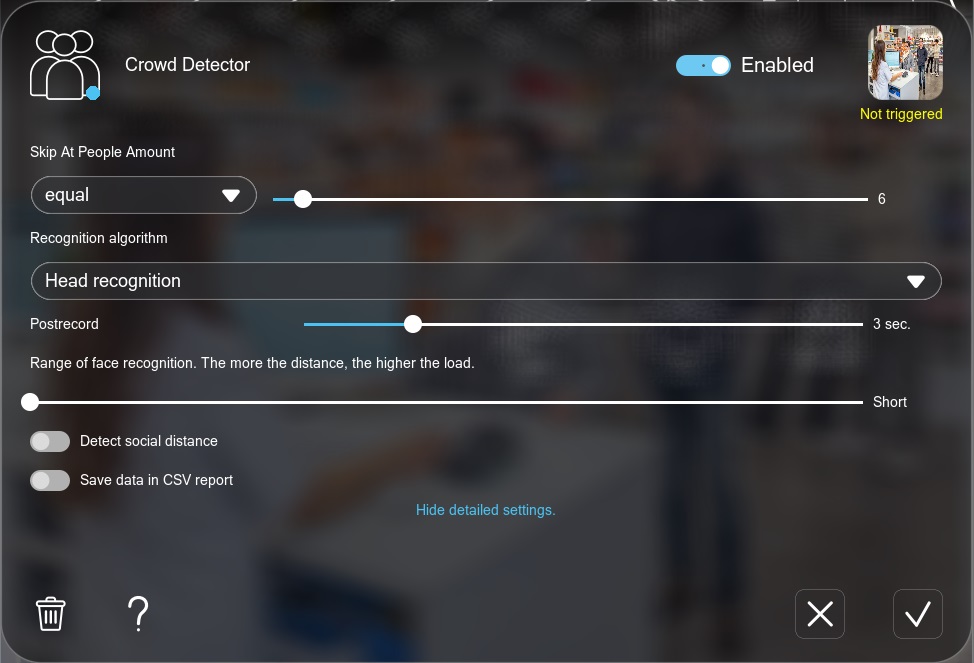
The principle is simple: depending on your camera placement, you choose how to detect people in the frame (by heads or by full body), then set a threshold — for example, “more than 5 people means a queue.” When the number of people in the frame exceeds the limit, the module registers an event and triggers the configured responses.
This approach is highly flexible: different organizations define “queue” differently. For a small pharmacy, three people at the counter is already a queue. For a large government service center during rush hour, ten people is the norm. You set the threshold yourself, and the system takes action only when it is exceeded. An additional advantage: different thresholds and different responses can be configured for different times of day.
Setup in brief:
In the Xeoma interface, a module chain for queue monitoring looks like this:
In the Crowd Detector settings, you configure:
- the threshold (how many people in the frame trigger the detector);
- the detection method (by heads or by full body);
- the detection range;
- report saving for subsequent analysis.
The module’s output is connected to the desired response — a notification, recording, alarm signal, or other action — that helps you learn about the issue instantly and initiate the protocol for mitigating negative consequences. More on responses in a dedicated section below.
Other Xeoma tools for queue monitoring
While the Crowd Detector is considered the optimal solution for queue monitoring and service zone load detection, Xeoma offers other ways to accomplish this task, each with its own specifics and advantages.
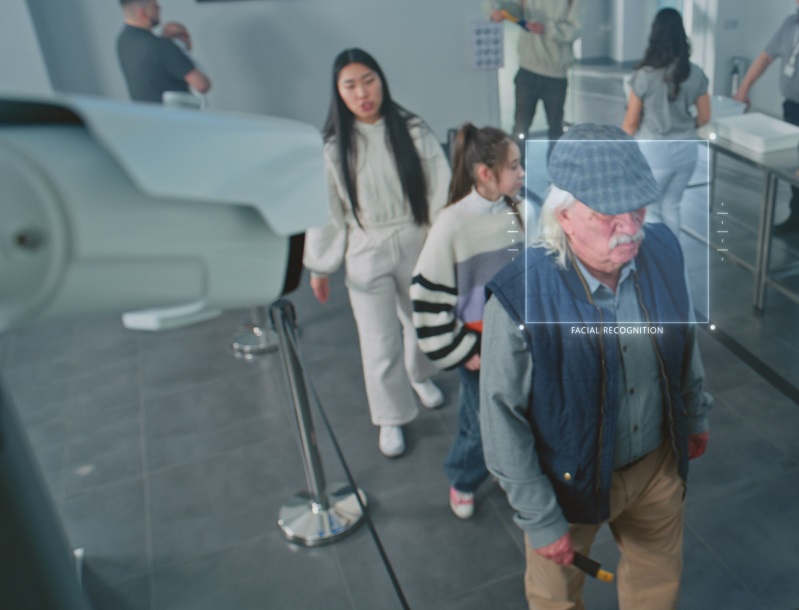
Face Recognition: queue monitoring as an addition to people identification
The Face Recognition module is most commonly used for a somewhat different purpose — identifying specific individuals, for example, for access control, time and attendance tracking, counting unique visitors, or identifying known offenders. However, it also includes a function that responds to the number of faces in the frame: you can configure it to trigger when a certain number of people or more appear in the camera’s field of view, which can also serve as a signal that a queue has formed.
This means that in systems where Face Recognition is already installed and used for other purposes, it can continue to serve in place of the Crowd Detector: simply configure the additional face count threshold parameter.
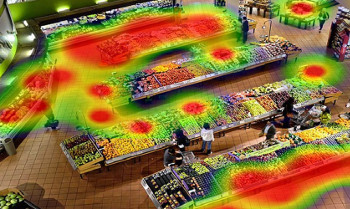
Heatmap: visual load density mapping
Beyond real-time responses, it is also useful to understand the bigger picture: which zones are regularly overloaded, what time of day sees the most crowding, and where bottlenecks form. The heatmap feature in the Motion Detector module accumulates statistics on people’s presence at different points in the frame and displays them as a color-coded intensity map. Zones with persistent crowding stand out immediately — providing a solid basis for management decisions: rearranging the space, adding staff, or rerouting the customer flow.
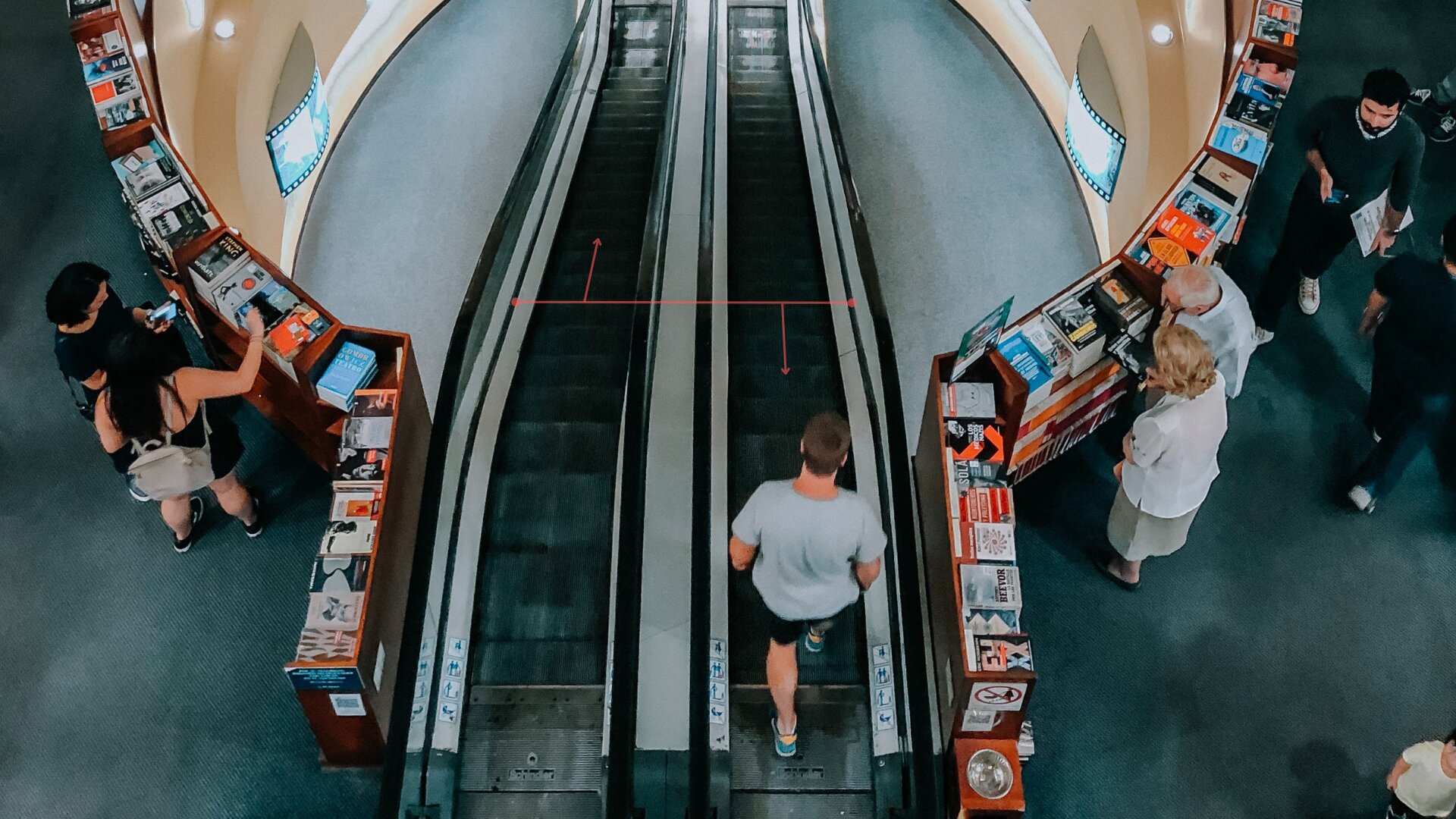
Visitors Counter and Cross-Line Detector
To understand the overall flow of people — how many passed through a point per day, per shift, or during peak hours — the simpler Visitors Counter or its more advanced counterpart, the Cross-Line Detector, can be used. The latter counts people crossing a virtual line in either direction. Data is collected over a specified period, allowing these modules to assess not only peak load but also how effectively the service zone handles the overall flow.
Responses and notifications: learn about congestion in time
Queue detection on its own is a valuable tool, but its real power comes when the right person is instantly notified — someone who can take action: open an additional checkout, call in available staff, or redirect the flow.
Xeoma offers a wide range of tools for instant alerts and automated responses:
An email with an event description and an attached camera snapshot is sent to the responsible employee or manager.
An instant alert to the smartphone, even if the manager is away from the office.
A short message to the on-duty staff or manager’s phone.
A notification via messenger, optionally with a photo or video from the camera.
Triggers on the operator’s computer or the surveillance server.
Automatically triggers any third-party action: activating a sign reading “Open checkout #2,” sending a signal to a security panel, or issuing a command to a CRM system.
Run any external script or application when the detector triggers.
Additionally, upon receiving a notification, the responsible person can connect to the cameras to visually confirm the queue.
A chain with a notification looks like this, for example:
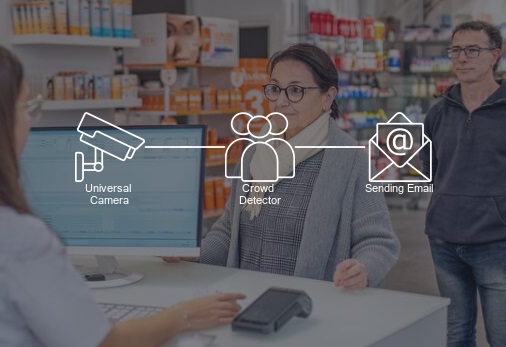
or with multiple responses simultaneously:
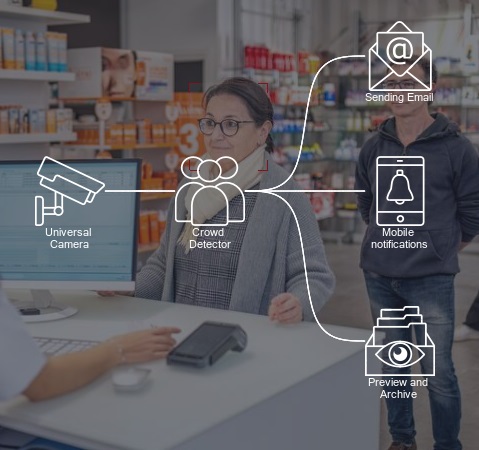
All of this is configured without writing any code — in Xeoma’s visual chain builder, where modules are connected like building blocks. The manager or the person responsible for the area receives a notification before the queue grows to a critical size.
There is also an option to save summary reports on zone load. This way, the system can avoid disturbing you with every event and instead provide an overall picture at a time that is convenient for you.
Where else is queue monitoring needed
The challenge of monitoring queues and service zone load is relevant across a wide range of industries.

Monitor queues at reception desks, outside consultation rooms, and in pharmacy departments. Objective data for management and regulators — independent of anyone’s reports.

An objective picture of the load for management and regulators. Real-time data instead of after-the-fact reports.

The link between queue length and lost sales becomes measurable. You finally know why customers are leaving.

Passenger flow management, capacity assessment, and reducing losses from impatient visitors walking away.
More Xeoma capabilities
A video surveillance system configured for queue monitoring also unlocks a number of additional analytical capabilities without any extra equipment. These work independently or together with the Crowd Detector in the same chain.

Identify service issues from a different angle — by customer mood: detect whether there are already irritated or upset visitors in the area.
A feature within Face Recognition. Understand how many new people visited the establishment and whether they returned after encountering a queue.

Automatically notifies the responsible staff member if a priority client appears in the waiting area, ensuring premium service without queues.
Zone load data can be correlated with staff presence information to identify a direct link between understaffing and queue formation.
Test it in 5 minutes
Download and launch Xeoma. The program automatically starts in Trial edition, which allows you to test nearly all features, including the Crowd Detector. You can also request Xeoma Pro demo licenses for extended testing.
Let Xeoma automatically find cameras on the network or add a camera manually by IP address. All types are supported. A built-in demo camera is also available.
Drag it from the module list into the camera chain — between the video source and the desired response (notification, recording, etc.).
Specify how many people in the frame should trigger the detector — this is your personalized definition of a “queue” for this particular location.
Recording, notifications, HTTP commands — choose the desired outcome. Learn more about notifications in Xeoma
Summary
A queue is not just an inconvenience. It represents measurable losses: dissatisfied patients, customers who walk away, complaints, and reputational damage. And yet it is one of the most easily preventable operational issues — if you learn about it in time.
Xeoma transforms this task from “we learn about the problem from complaints” to “we know about a developing issue and resolve it before it causes losses.” A few cameras, a properly configured Crowd Detector, and a notification channel — and a manager at any level gets an objective, automated picture of what’s happening, independent of anyone’s reports.
At the same time, the system requires no special technical knowledge for day-to-day use: once you set up the chain, you simply receive notifications when they are needed.
Learn about queues before they become a problem
Try queue monitoring with Xeoma for free.
Demo license with no limitations — test in real-world conditions at your own pace.
Last updated on May 26, 2026