
Motion Detector
Responds to what
actually matters
Affordable detection of motion — or its absence — for home and business. Be alerted in time to an intrusion, entry into a restricted area, or a halt in your production line. Multiple optimizations against false alarms, motion visualization, and flexible setup with monitoring zones of any shape.
What a motion detector is

Once motion is detected, this filter module triggers the modules that follow it in the chain: recording to the archive, a notification to your phone or messenger, an audible siren — any scenario you put together.
The Motion Detector is a cornerstone of video surveillance and one of the first video analytics modules in Xeoma, continually extended and refined over more than 20 years of the program’s development. Its many optimizations help you catch the events that truly matter, without false alarms.
Tuned precisely to your conditions
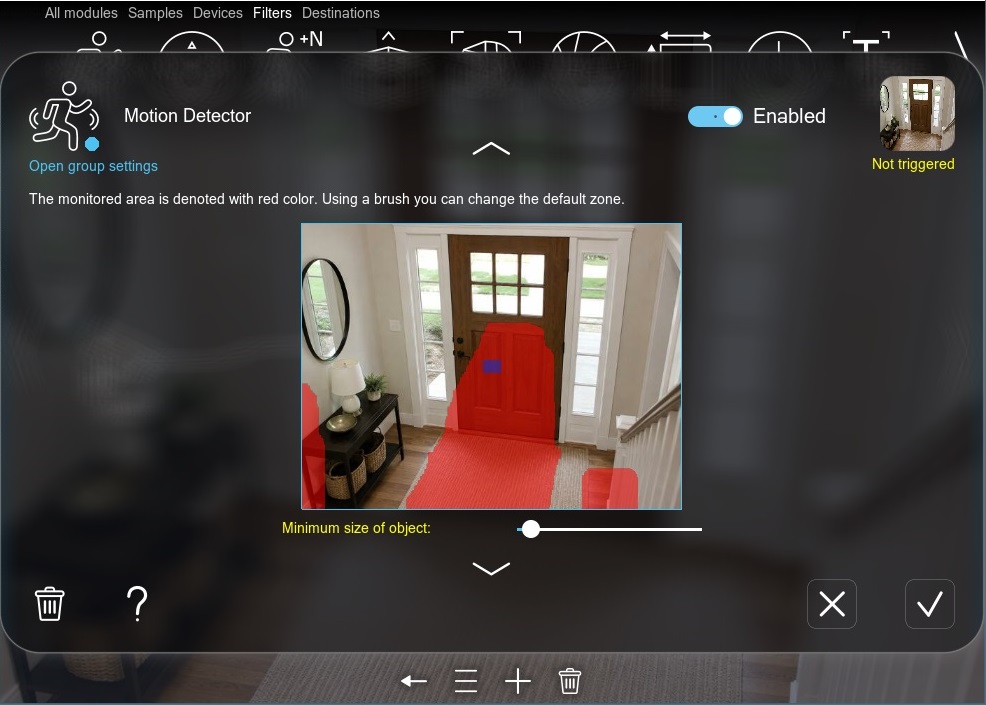
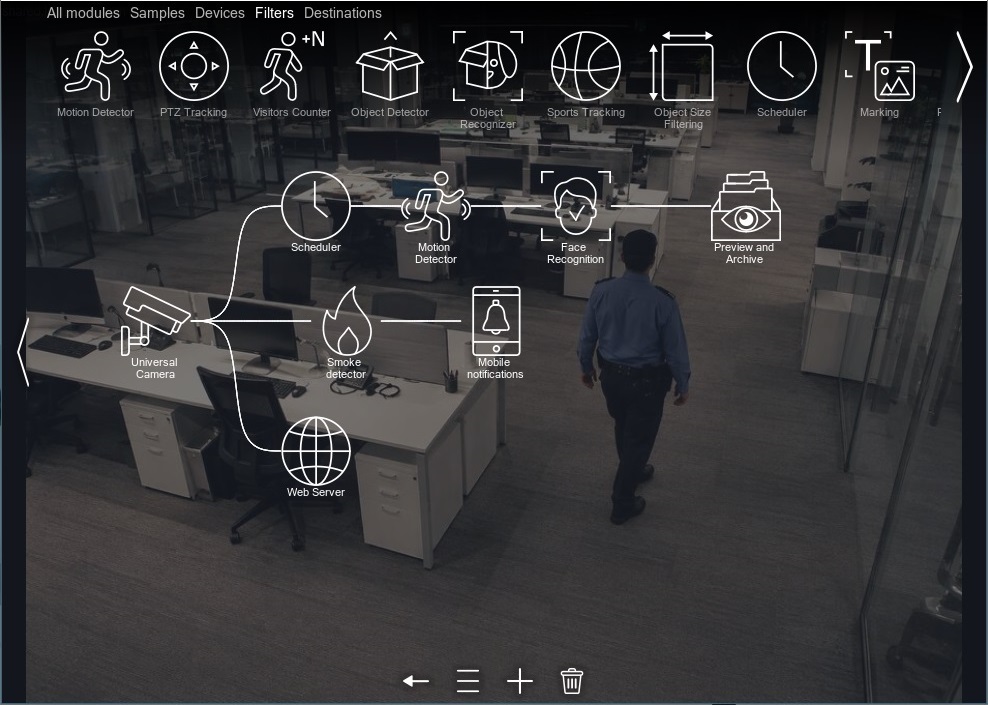
Work right away with sensible default settings, or reconfigure for a specific task — quickly and easily. The new configuration can then be instantly applied to the remaining cameras.
Monitoring zones of any shape
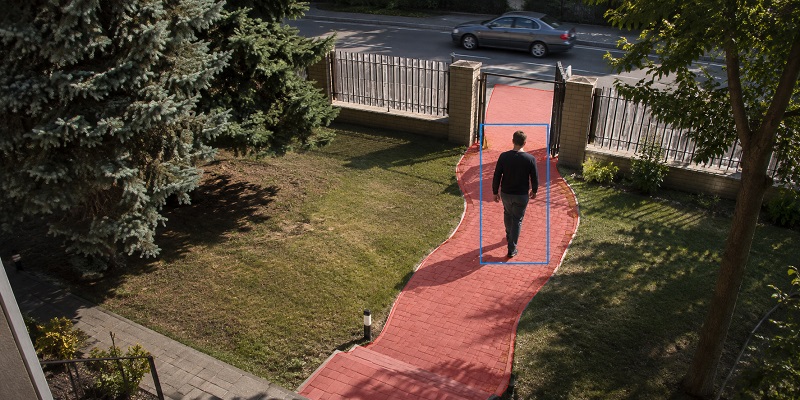
Paint over the areas where motion should be detected — anything outside them is ignored. For example, mark the walkway leading to your house but leave the road untouched, so that every passing car doesn’t raise a false alarm.
The brush size is adjustable, and the area is edited much like in an ordinary graphics editor.
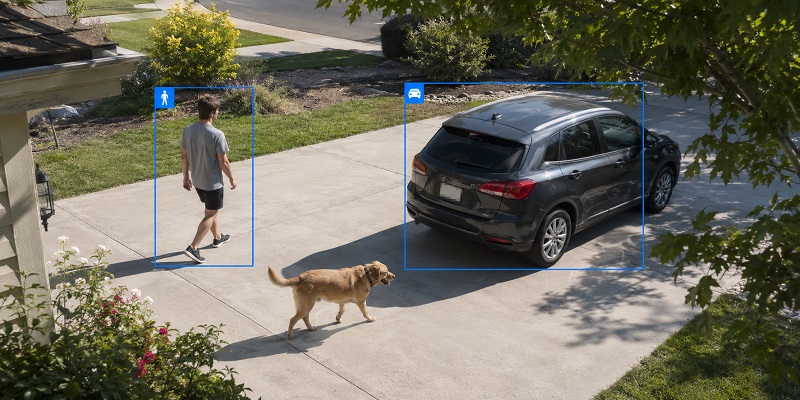
Detection of people and vehicles Pro
An ordinary motion detector reacts to any change in the frame. Xeoma also offers AI-based detection of people and vehicles, so the system responds only to them — ignoring animals, shadows, and swaying branches.
Ideal for perimeter security and detecting intrusions onto your premises.
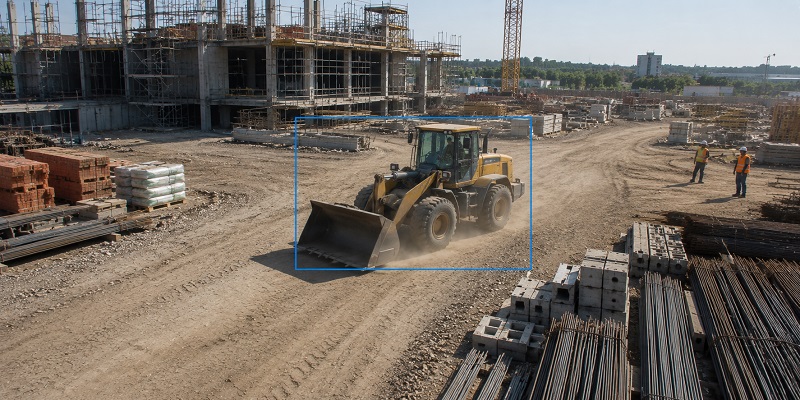
Threshold, duration, and object size
Precise filtering even for non-standard objects: set the minimum and maximum object size, as well as the duration of motion. This lets the system respond only to your target objects and ignore movements too abrupt to belong to them.
Dedicated algorithms let the system ignore repetitive motion: swaying trees, clouds, and shadows.
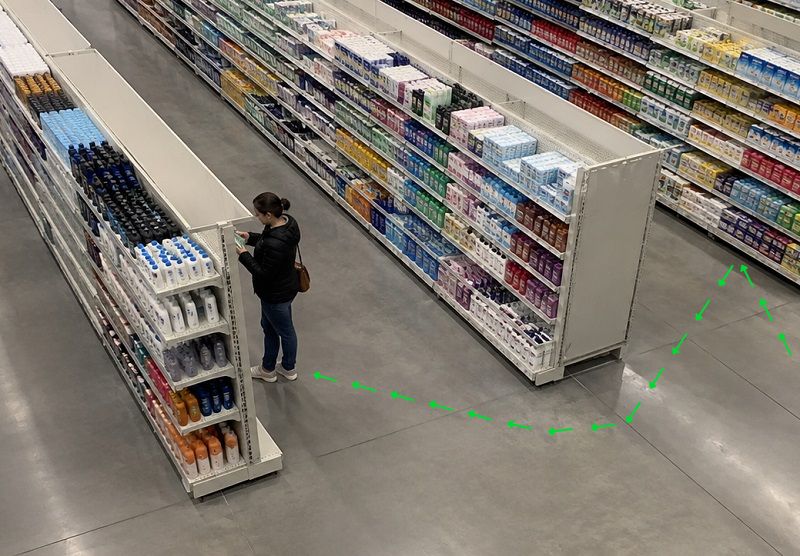
Motion made visible
A dedicated motion visualization lets the operator see exactly where in the frame movement was spotted.
With another module — the Object Detector — you can also enable visualization of the motion path, so a single glance at the screen tells the whole story, without even opening the archive.
Solutions
More than just an alarm event
Thanks to its versatility and Xeoma’s modular architecture, the Motion Detector supports a range of scenarios — not only intrusion, but also work-hours monitoring and production-halt detection.
Multiple zones, different responses
Watch several areas from a single camera and trigger a distinct response for each: motion at the window — record and keep an eye on the birds at the feeder; activity near the fireplace — an extra fire check; and in a room that should stay closed — an instant alert to your phone or email.
Absence-of-motion detector
Works the other way around — it triggers when motion stops. Handy for monitoring a conveyor, equipment, staff in the office, or any process that shouldn’t come to a halt.
Scheduled operation
An office is full of life during business hours but should be empty at night. With scheduling, the Motion Detector can start watching for intrusions after hours — when there should be no activity in the area at all.
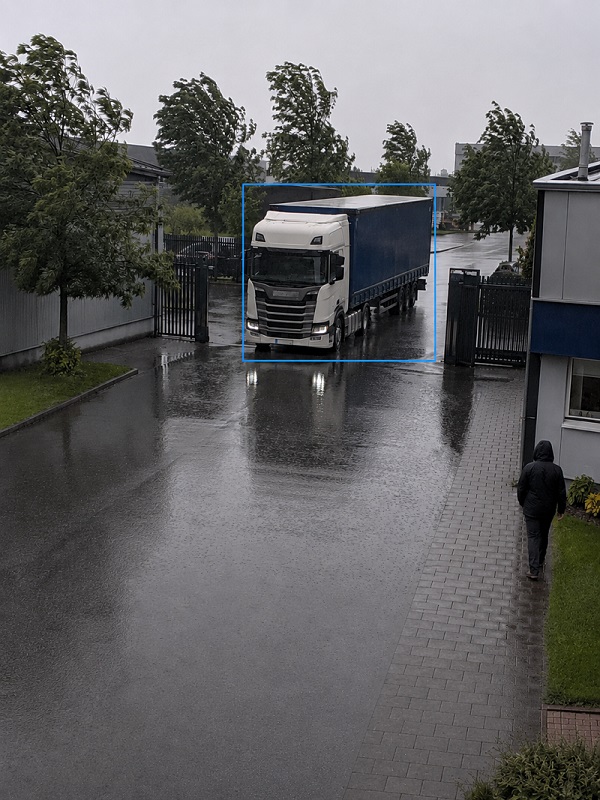
No needless alarms
Wind, rain, animals, and shadows — under control
Birds, swaying trees, sun glare, and the headlights of passing cars — these are the most common culprits behind false alarms. Xeoma filters out the unwanted triggers with a combination of sensitivity threshold, detection zones, expected object size, and the “accumulated background” method for outdoor scenes.
There is also a dedicated optimization for detecting people and vehicles. Our guide to setting up the Xeoma Motion Detector will help you build the ideal system in just a few minutes.
Guide to motion detector setup →Video evidence
Capturing alarm events on video
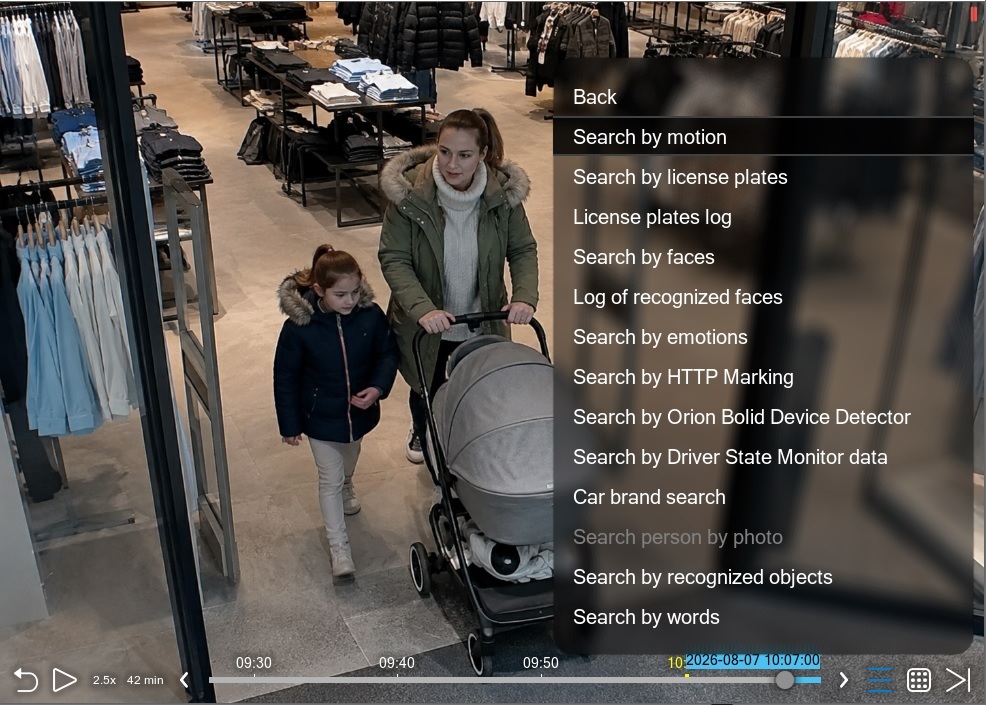
Among Xeoma’s many responses is event capture. Recording can run in parallel to local drives, network drives, or arrays. Recordings are reviewed right inside the program’s interface, where you can search for the specific motion episode you need and enjoy clear motion visualization.
Don’t worry about missing anything important: pre-recording and post-recording save what happened before and after the event to the archive, so you see it in full.
More about the Xeoma archive →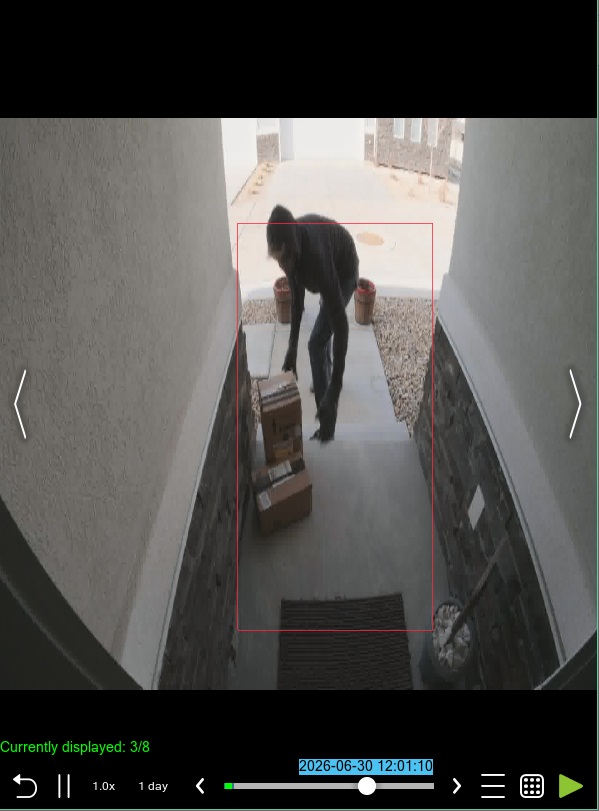
Video
Simple, fast setup
A short video walkthrough of setting up the Motion Detector — from the monitoring zone to cutting out false alarms.
Ecosystem
Related Xeoma tools
Xeoma has more than 100 modules, some of which resemble the Motion Detector or are often used alongside it.

Object Detector
Like the motion detector, but it goes further: it groups individual movements into whole objects and understands where each one is in the frame. This module makes advanced motion-path visualization possible.

Object Recognizer
Enhanced detection of people and vehicles — the same as in the motion detector, but more accurate, with classification by type: person, car, animal, drone, and others.

Camera Embedded Detector
Lets you use the camera’s own built-in motion detector — the analytics run on the camera itself, and Xeoma receives the ready signal with no load on the server.
Visitors Counter
Works together with the motion detector: it counts people crossing a defined line or zone — a simple tally of the flow at an entrance.

Problems Detector
Sabotage detection helps you learn in good time about problems with a camera — dimming or overexposure, a sudden turn away, or a lost connection to the device.
A motion-detected marker can appear on Xeoma’s interactive eMaps, and special camera grids can then bring up a close-up of the camera on screen, instantly drawing the operator’s attention to the detected intrusion.
And this is only part of it — explore all of Xeoma’s video analytics.
Try the motion detector for free
Download Xeoma and set the detector up on your own cameras in just a few minutes. A free edition and a trial period — with no commitment.